3.2. ② Guided questions
Questions you build by filling in the blanks
This is the method for picking from a list when you do not know what to ask. The wording is prepared for you and you only fill in the subject.
How to open it
Use the Guide button next to the input box. A prompt saying
Build an APM question with the guide sometimes appears under the chat window as well.
It takes two steps

Step 1 — pick the question
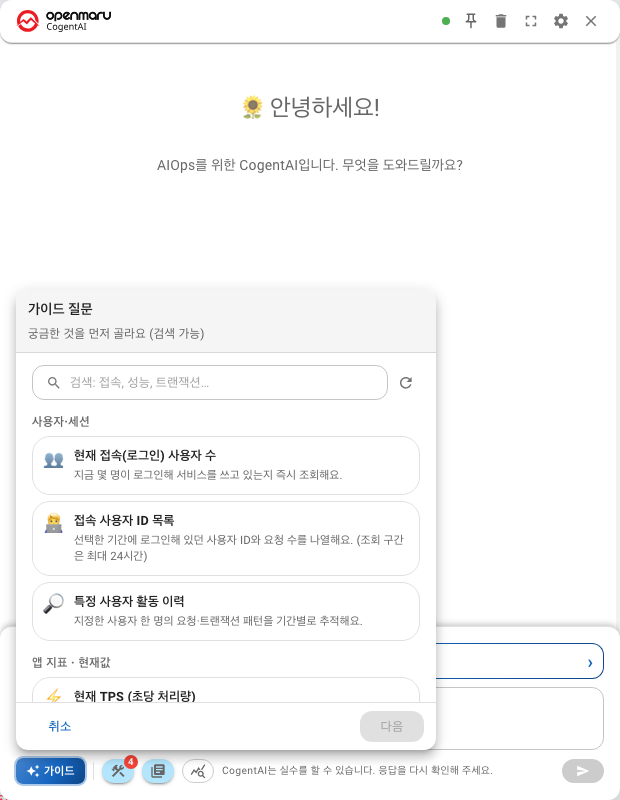
First pick what you want to know. The questions are grouped into seven categories.
| Category | What it asks about |
|---|---|
| Users & sessions | Number of users connected, session state |
| App metrics · current | Response time, TPS and error rate right now |
| App metrics · trend | Change over time |
| Transactions | Slow transactions, throughput |
| Incidents & events | Events that occurred |
| Instances (JVM) | Heap, GC, threads |
| System & infrastructure | CPU, memory, disk |
You can search as well. Type a word such as users, performance or transactions and only the questions containing it remain. Searching is quicker when the list is long.
Step 2 — fill in the subject
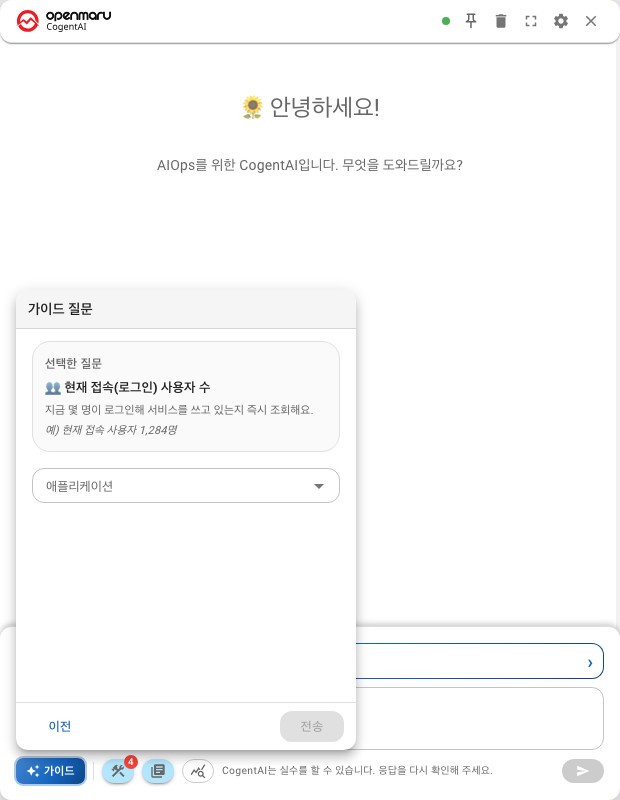
The question you picked is previewed, and you are asked only for what that question needs.
| Field | When it appears |
|---|---|
| Application | For questions at application level |
| Instance | For questions at instance level |
| Target user ID | For questions about a specific user |
| Top N | For questions that rank results (1–50) |
| Option | When the question has variants |
| Time range | When the question needs a window |
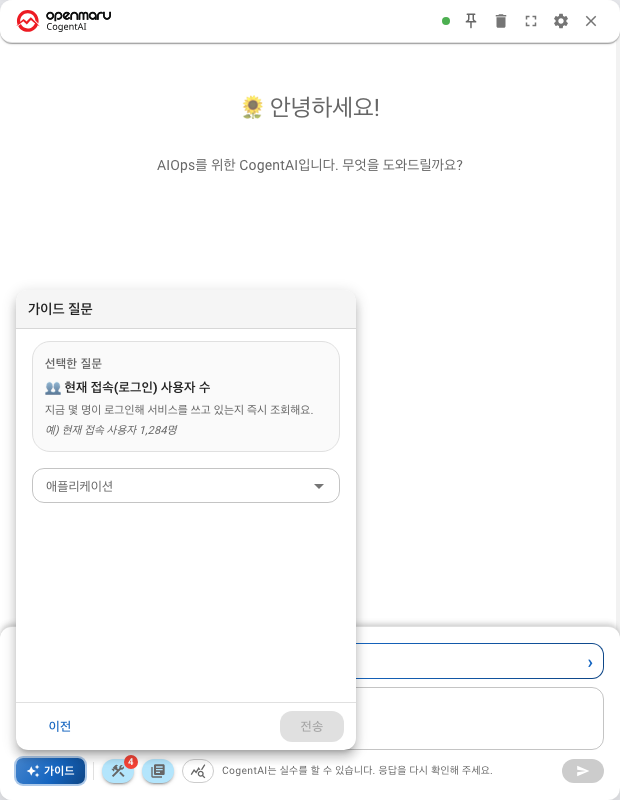
Different questions ask for different fields. You are not asked for anything the question does not need.
Questions that cover the whole infrastructure show this note. "Whole infrastructure — no application selection needed." In that case you do not have to choose an application.
The question list differs from one installation to another
Guided questions come from a list registered on the server, and administrators can add to it or remove from it.
- A category in this document may not be on your screen
- Equally, there may be questions here that this document does not list
- If you see
No guided questions are registered, contact your administrator
If the list cannot be loaded you get Failed to load guided questions.
Try again, and if it persists check the server connection status
(Chapter 204).
How this differs from a free-form question
| Guided question | Free-form question | |
|---|---|---|
| What to ask | Picked from a list | Typed by you |
| Wording | Fixed | Up to you |
| Omissions | The screen catches them | Easy to leave things out |
| Scope | Only what is registered | Unrestricted |
Guided questions are convenient when you are new to the widget and when you look at the same thing regularly. Use a free-form question for anything that is not on the list.
How this differs from the analysis builder
A guided question is closer to a query; the analysis builder is closer to a calculation.
| Guided question | Analysis builder | |
|---|---|---|
| Answer | Values and lists | Correlation coefficients, forecast bands, anomalous windows |
| Example | "How many users are connected?" | "Why did it get slow?" |
To ask "why" and "when", use the Analysis Prompt Builder.
Next
- Calculating over metrics — ③ Analysis Prompt Builder — overview
- Asking in ordinary language — ① Free-form questions
- Reading answers — Reading answers — tables, charts, diagrams