5. Synology Chat Event Configuration
What This Chapter Does
It configures APM events to arrive in Synology Chat. It is used where a Synology NAS is operated in-house and its messenger is used.
What you need -- a NAS with Synology Chat installed, and permission to add an integration.
How it is configured -- you create an address (webhook) in Synology Chat that receives incoming messages, and enter that address in the APM console. It has the same structure as Slack's webhook method.
Once configured -- a message appears in the chosen conversation every time an event occurs.
Synology Chat Integration Settings
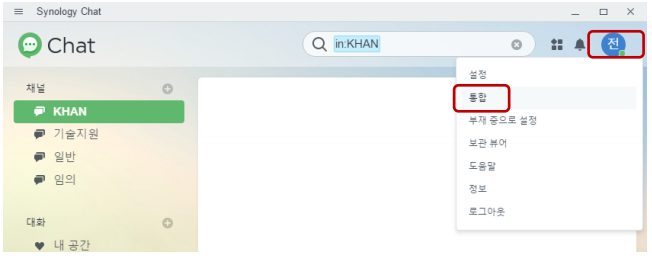
Click the icon at the top right of Synology Chat, then select the Integration menu.
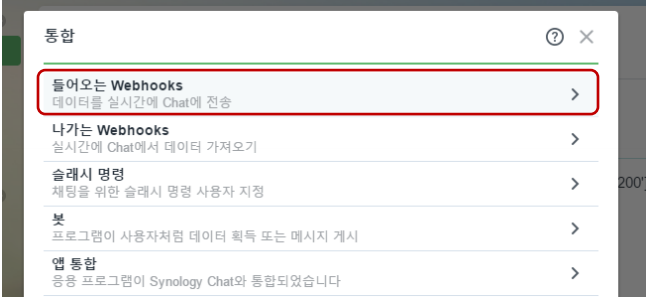
Select Incoming Webhooks.
Click the + Create button.

Specify the channel that receives events and the user name that logs them.
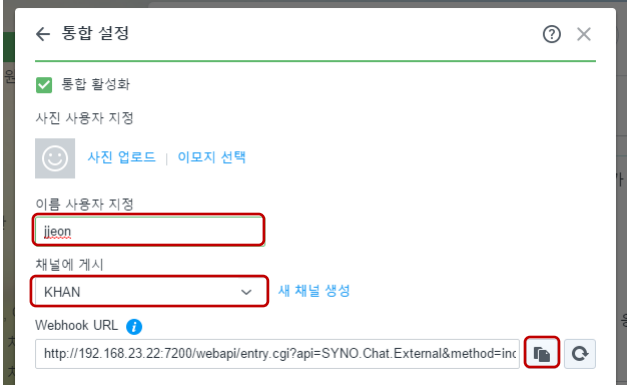
Copy the webhook URL and keep the token.
http://synology.myhome.com:5000/webapi/entry.cgi?api=SYNO.Chat.External&method=incoming&version=2&token=OWqRRyCVUaNazCRNsFgTJJUgQDxoRdxS3TIggwkWATguvY1pWrqXLdVD0qCSe
Configuring Events in APM
In the OPENMARU APM console, go to Settings > Monitoring Settings and select the Event Channels
tab to configure the Synology Chat event settings. Every channel setting is gathered on this one
screen.
Synology Chat Event Configuration Items
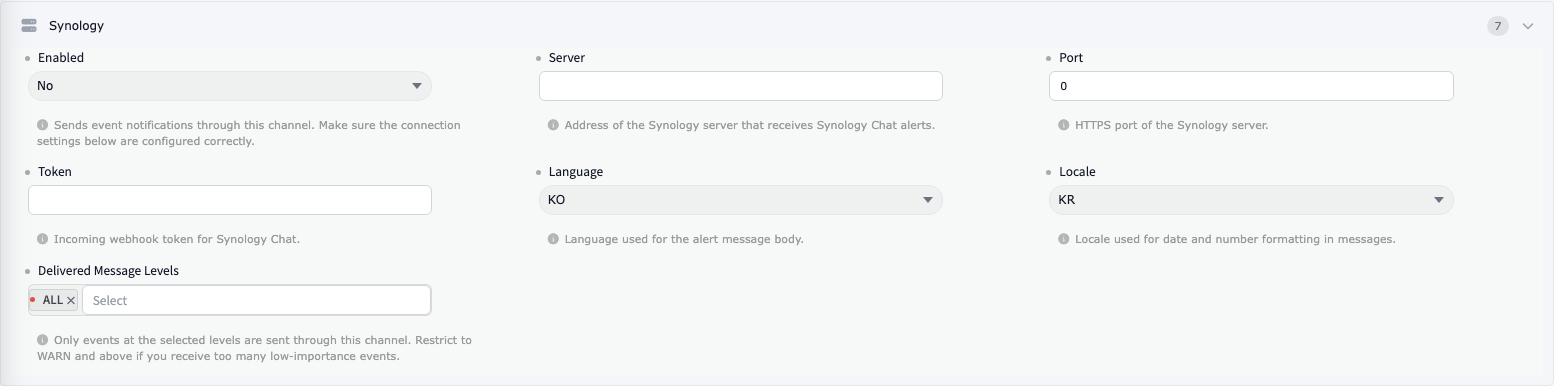
The configuration values and their meanings are as follows.
| Item | Default | Description |
|---|---|---|
| ① Enabled | FALSE | Sets whether to use Synology Chat event delivery, as TRUE or FALSE. |
| ② Server | Specifies the IP of the Synology Chat server. It must be reachable from the OPENMARU APM server. | |
| ③ Port | 5000 | Specifies the port number of the Synology Chat server. |
| ④ Token | - | Sets the token configured in Incoming Webhooks. |
| ⑤ Language | KO | Selects the language of messages sent to Synology Chat. en and ko are available. |
| ⑥ Locale | KR | Selects the locale of messages sent to Synology Chat. us and kr are available. |
| ⑦ Delivered Message Levels | ALL | Selects which events are sent to Synology Chat. ALL: every event. Otherwise specify the events to send from INFO, WARN, FORECAST, and CRITICAL, separated by commas. |
After changing the event.properties file, the OPENMARU APM server has to be restarted.
Confirming Synology Chat Events Arrive
When an event occurs, a message arrives in the channel specified when the incoming webhook was created, as follows.
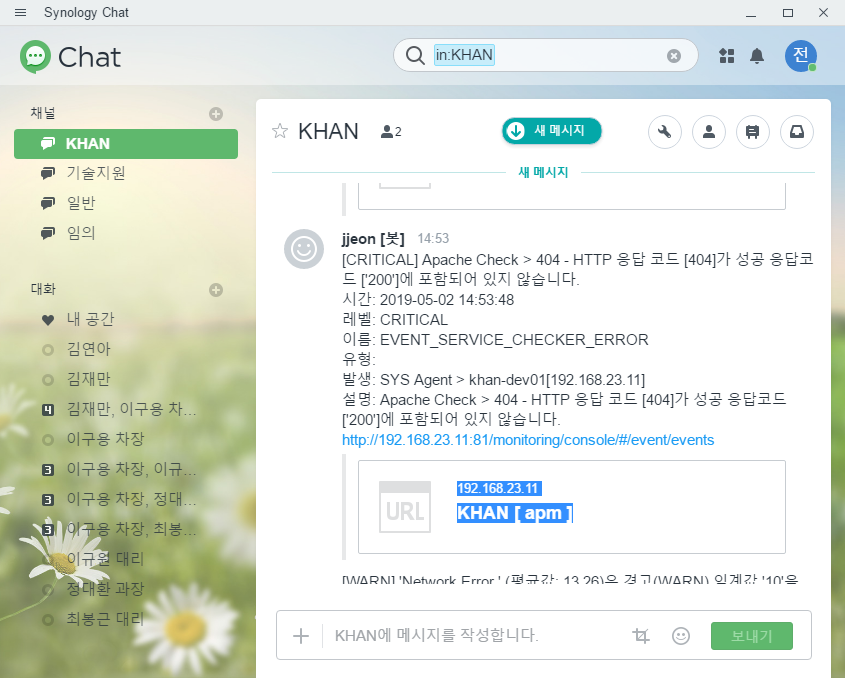
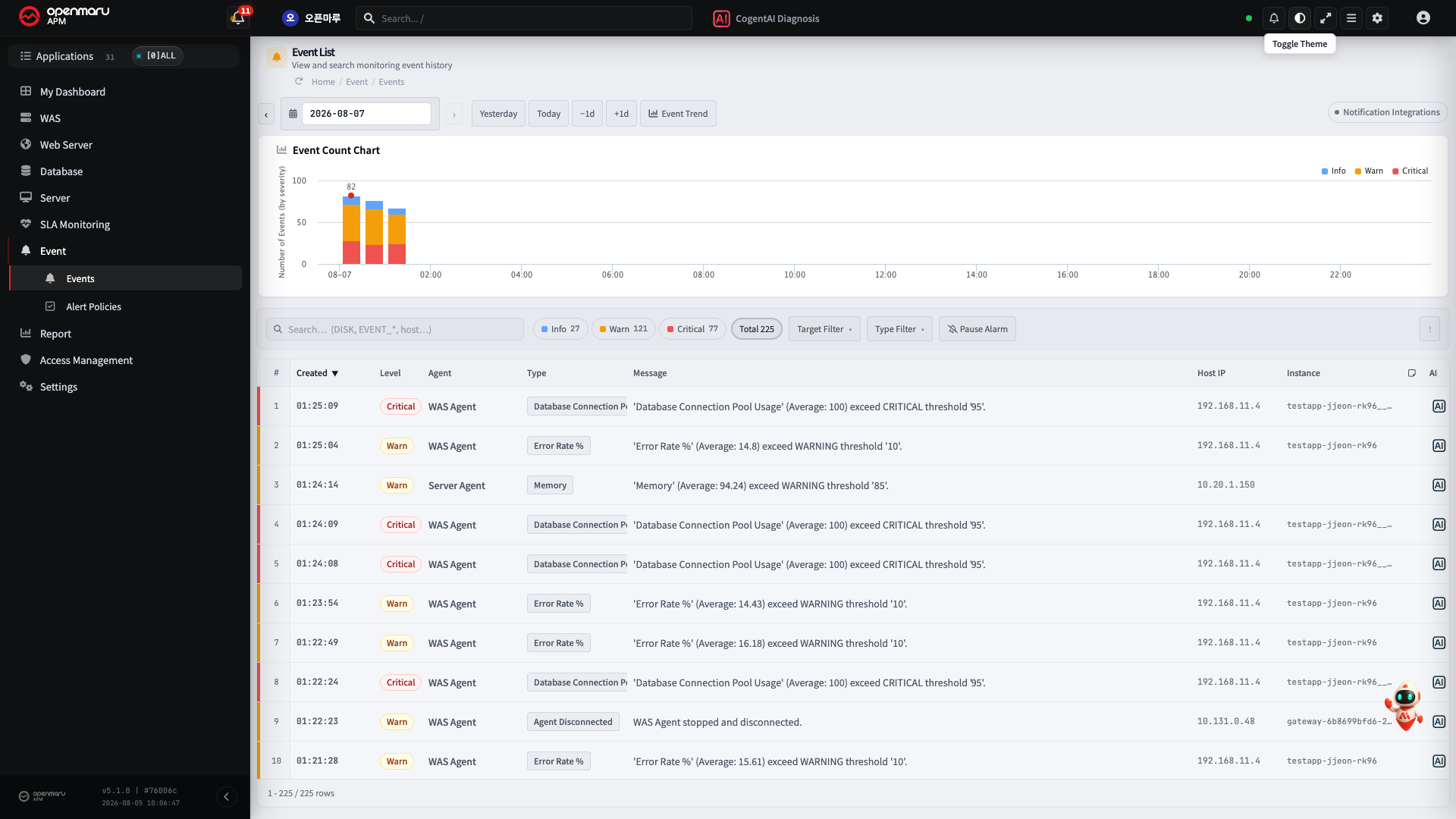
To test that events occur, click the 'Test Sample Critical Event' button in the event list as shown below.