Skip to content

5.1.0-11.3

Feature Improvements​

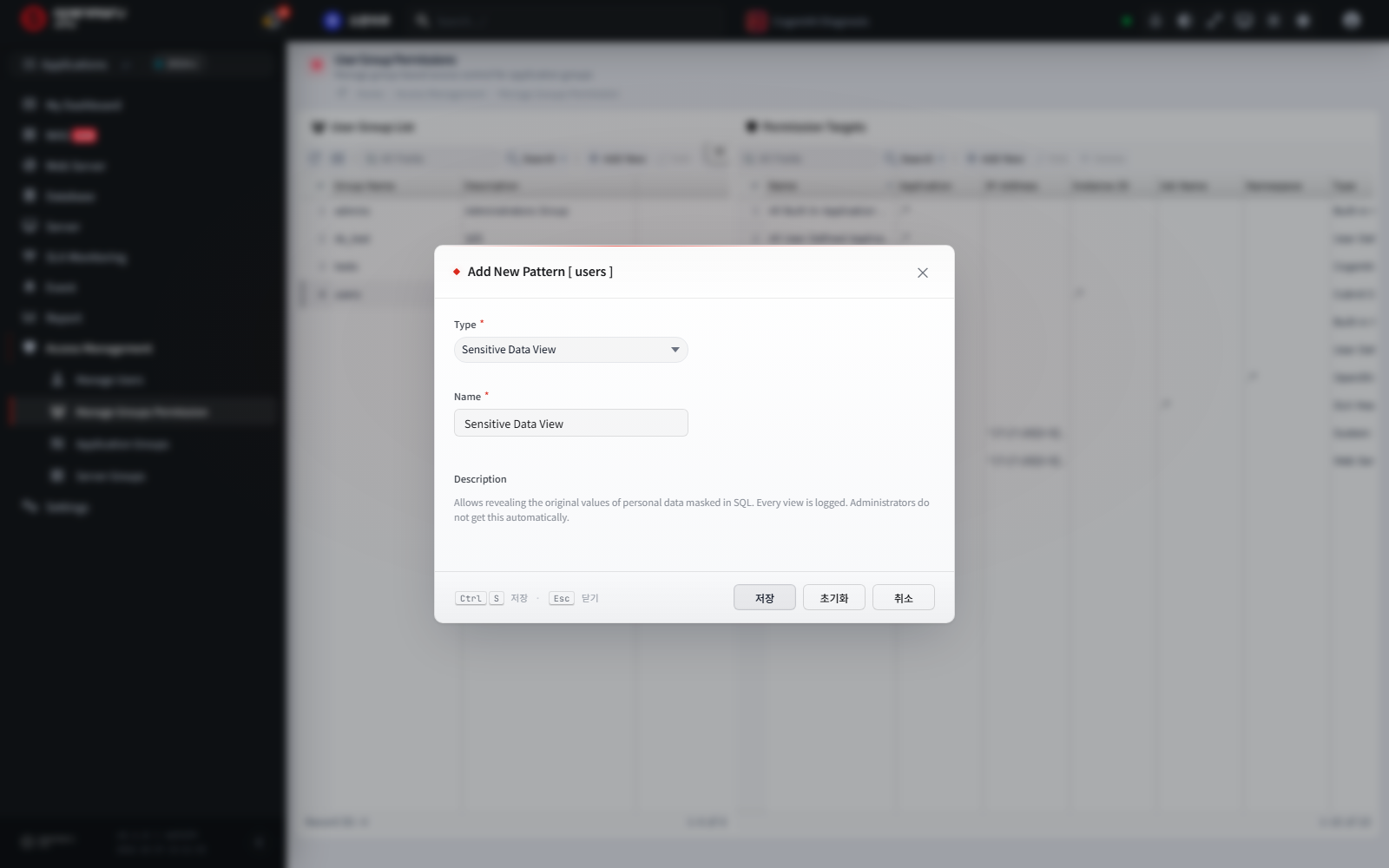
SQL Personal Data Protection​

  • When SQL query parameters contain personal information such as resident registration numbers, phone numbers, or card numbers, the collection server detects it and stores it encrypted
  • Screens show masked values by default. Only users with the "View Sensitive Information" permission can see the original values, and every view of an original value is logged
  • AI query diagnosis receives substitute values with the same format instead of the originals. SQL error messages are also sent with personal information and secret values masked
  • Applies by upgrading the collection server alone, without redeploying agents
    • Location: Access Management → User Group Permission Management → added "View Sensitive Information Permission" type

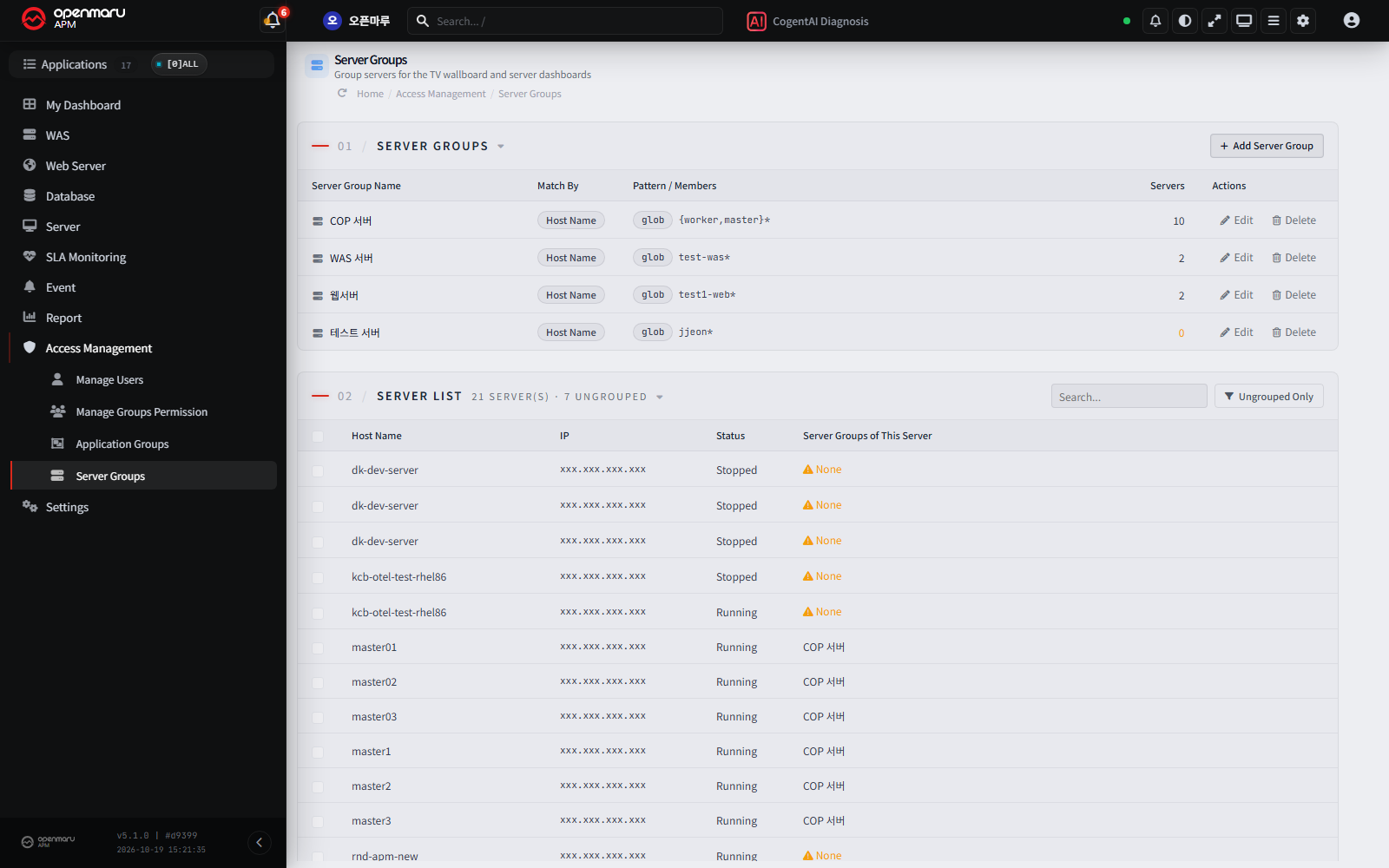
Server Groups and the TV Wallboard Server View​

  • Added a Server Groups menu that groups servers by hostname/IP rules or by direct selection. Use it where application groups cannot group servers precisely, such as in container environments
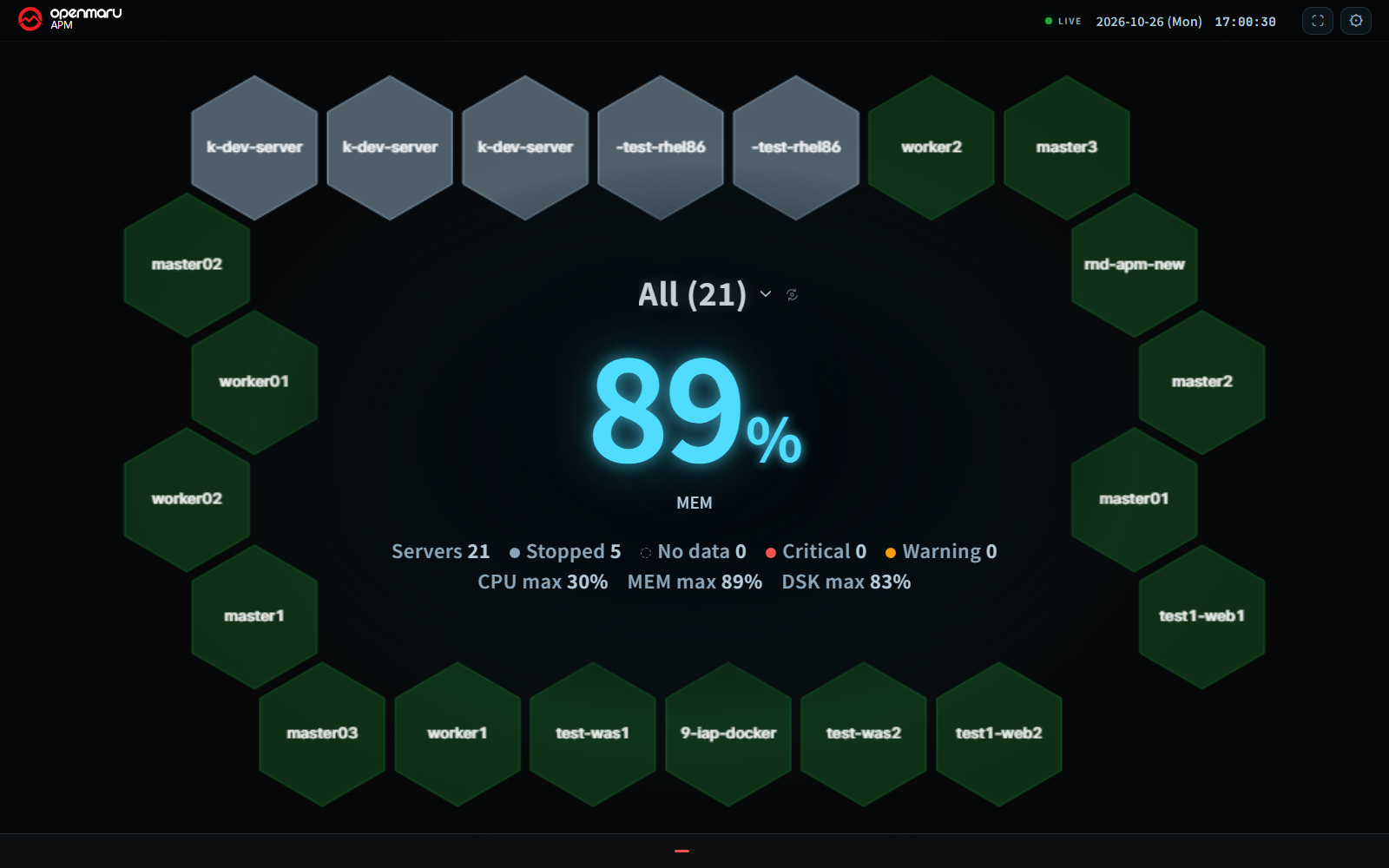
  • Added a Server View to the TV wallboard. It shows CPU, memory, and disk status per server group, and servers in critical or warning state can be told apart by their motion
  • Servers that belong to no group are collected under "No Group", so no server is left out
    • Location: Access Management → Server Groups / Top bar of the console → TV Wallboard → Screen Settings → View

TV Wallboard Enhancements​

  • Splits a 4K screen into up to 16 panes
  • Shows critical and warning events in the notification strip at the bottom of the screen
  • The large number in the center can show either the delayed count or the total in-progress count
  • Screen settings are laid out so they are no longer cut off at low resolutions

Broader PromQL Query Compatibility​

  • Aligned the calculation method so the PromQL query API returns the same results as standard Prometheus
  • Expanded the supported syntax, including offset, subqueries, set operators (and, or, unless), label_replace, and math and date functions
  • Rejects excessively large queries up front to protect the collection server from load

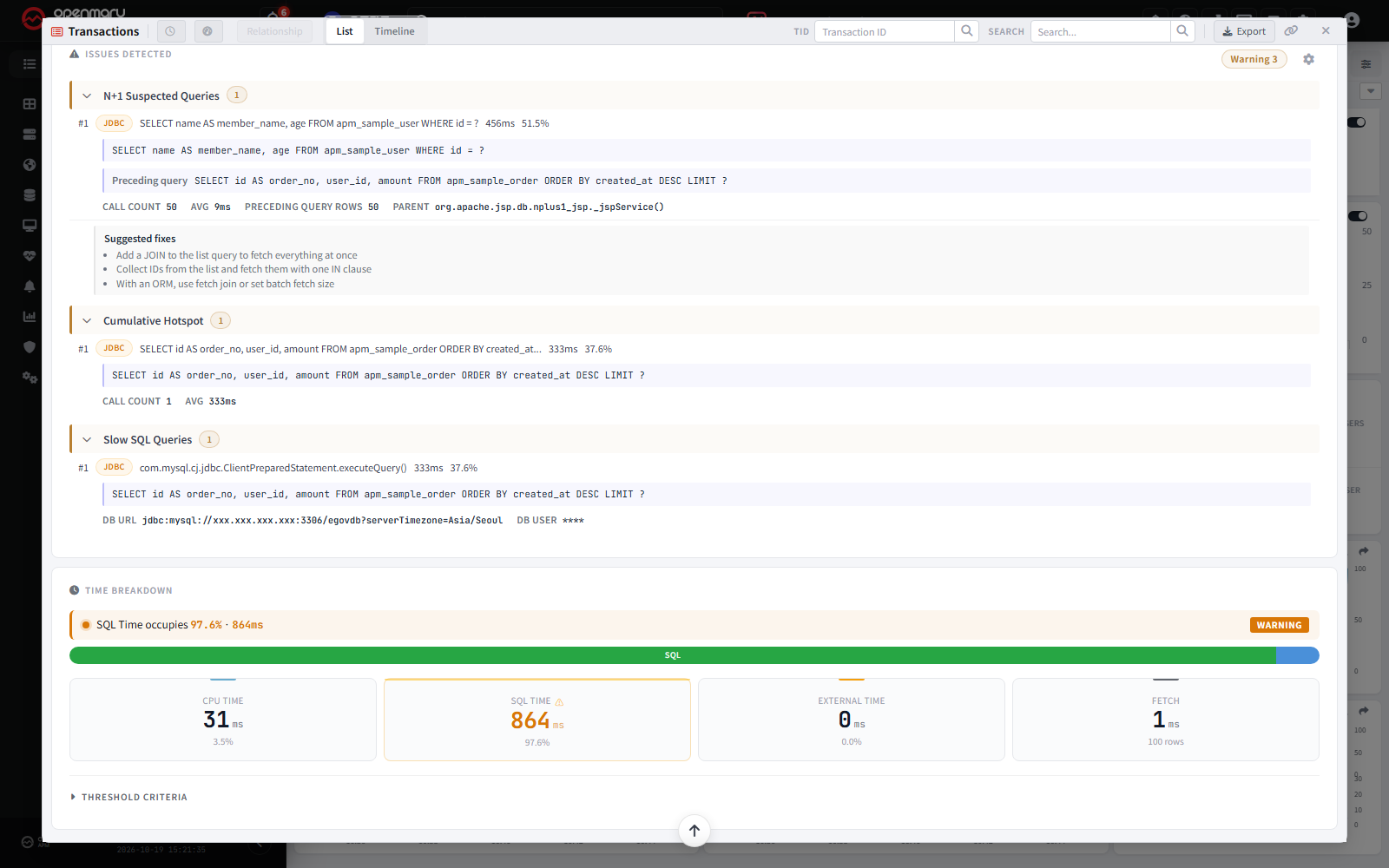
Enhanced Performance Analysis Screens​

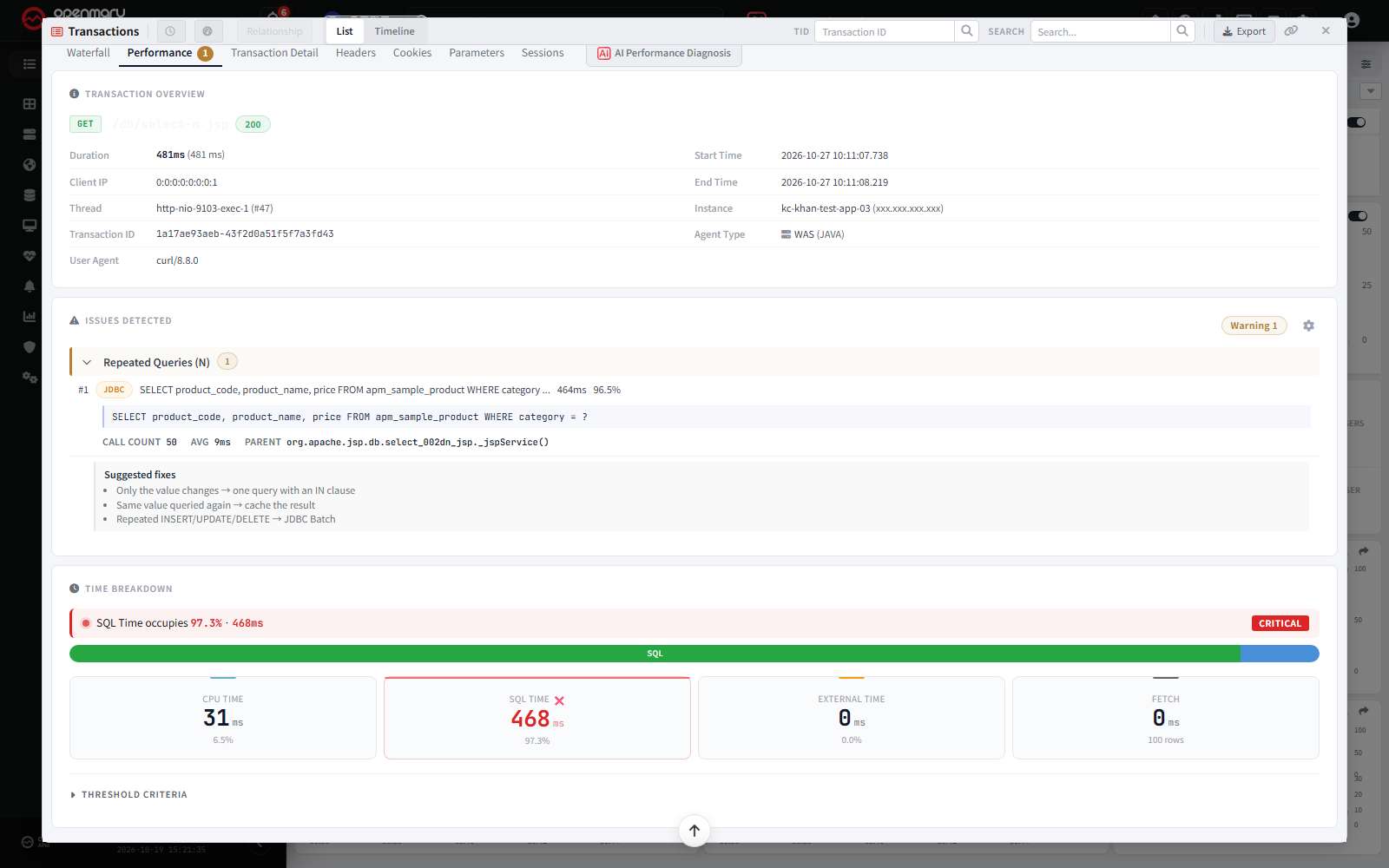
  • When the same SQL repeats, "Suspected N+1 Queries" and "N Repeated Queries" are shown separately, each with guidance on how to improve it
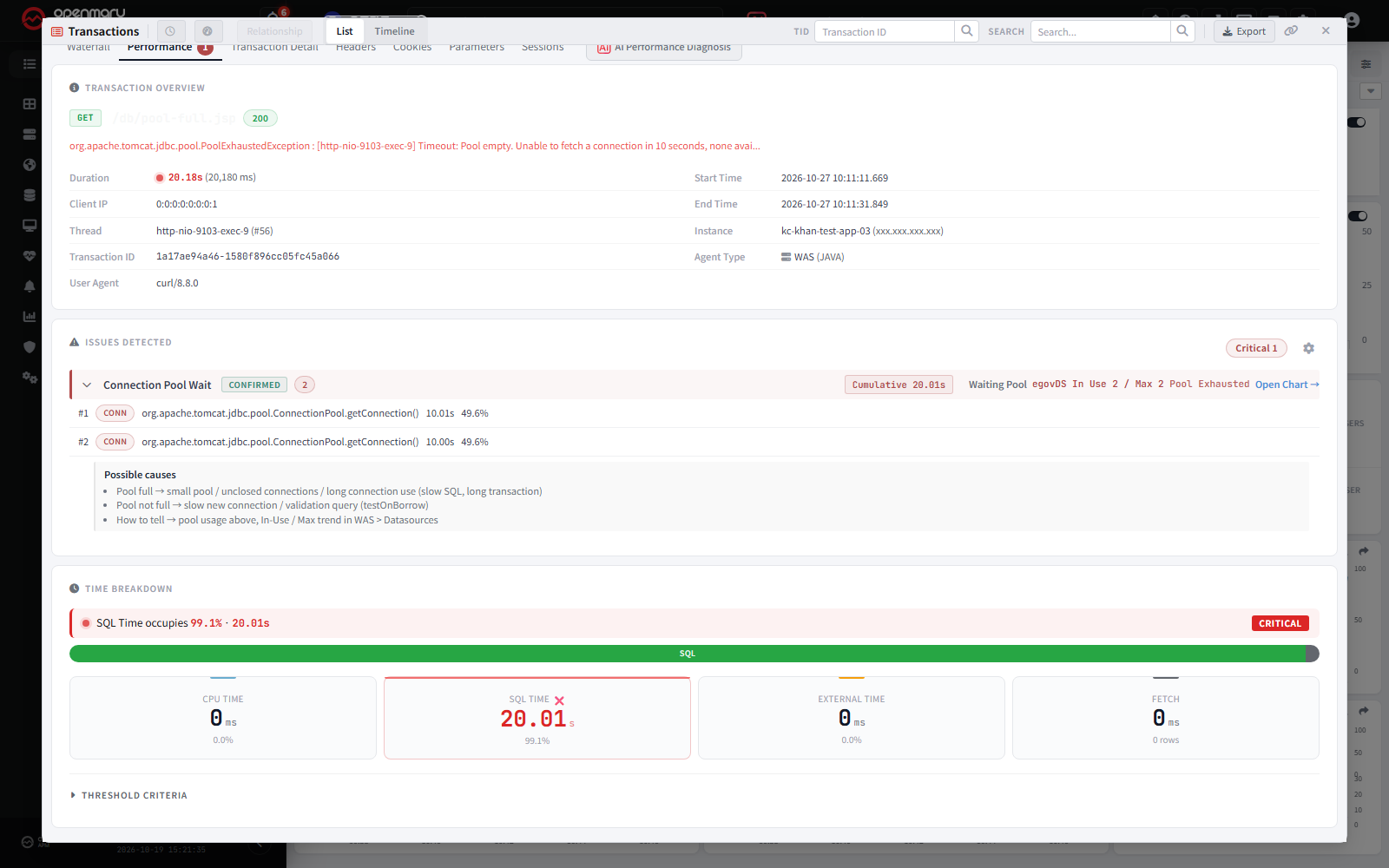
  • The Connection Pool wait card shows the name and usage of the pool that was waited on, and links directly to the data source chart
    • Location: Transactions → Performance tab → Issues Detected


Text Label Widget for My Dashboard​

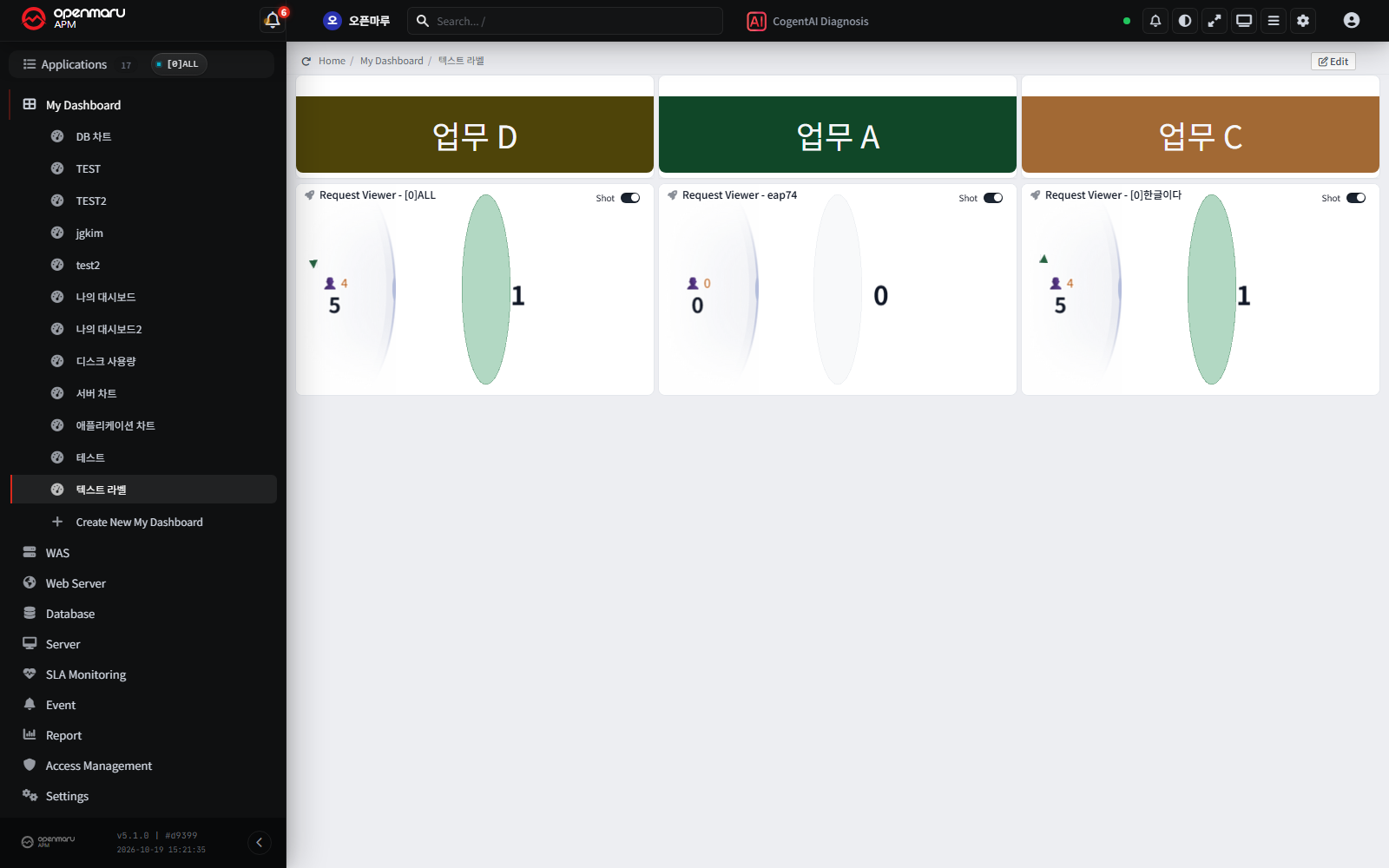
  • Added a text label widget for putting text such as titles and descriptions on a dashboard
Other Improvements​
  • Filtering T-Map history by client IP, login ID, or URL is faster, and results are shown page by page as they arrive
  • Added an overall summary to the data sent to CogentAI analysis to improve analysis quality
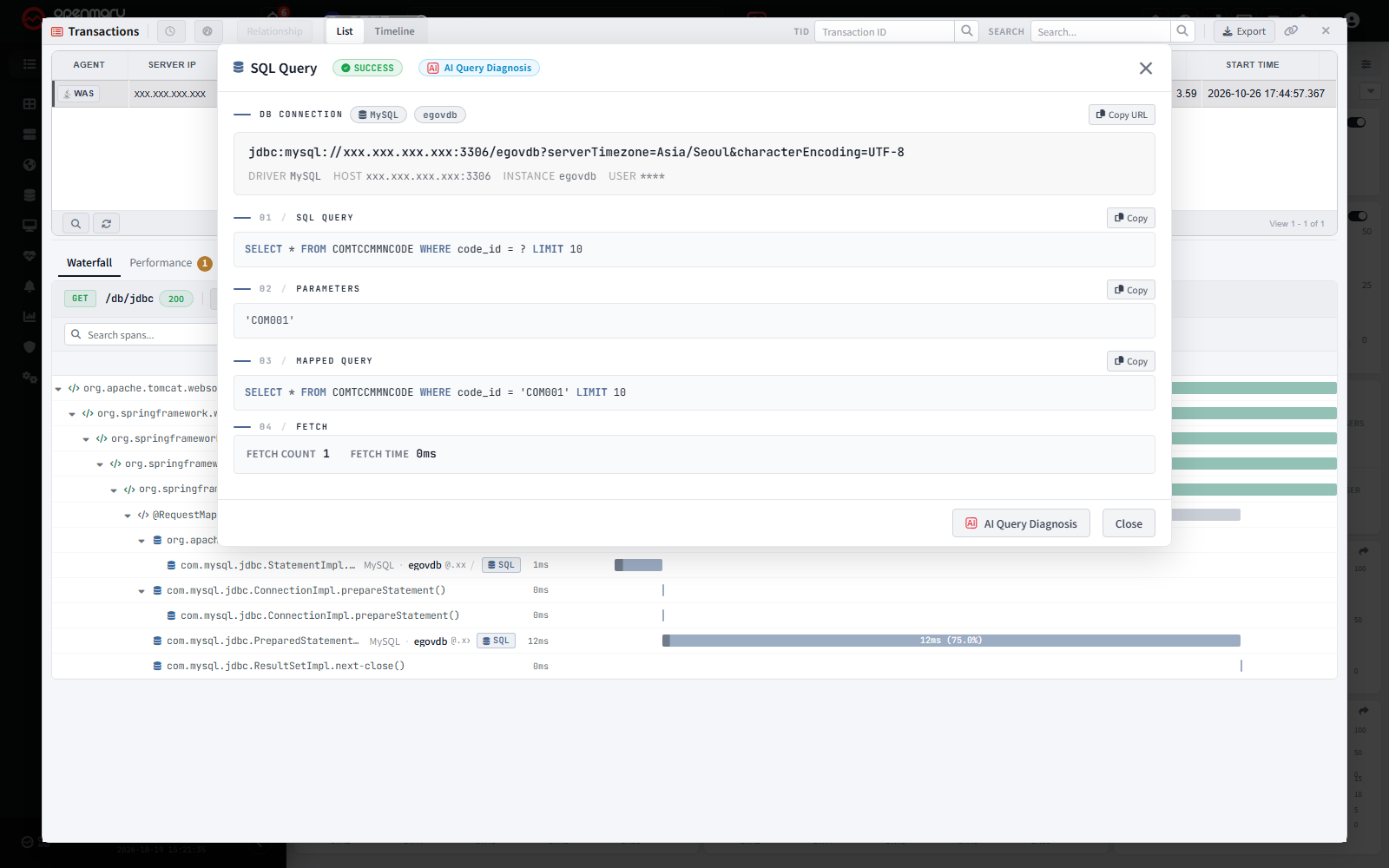
  • The SQL query screen shows the DB type and DB name together
  • The CogentAI widget keeps its login information up to date even when the screen is left open for a long time
  • The SSO login window opens at an appropriate size in the center of the screen

Bug Fixes​

  • Fixed an issue where, in a redundant collection server setup, an agent that reconnected to another server was shown as "Stopped" and its metrics were not saved even though it was running normally
  • Fixed an issue where data from a different date could be returned when several users queried at the same time (for example, T-Map history counts coming out lower than expected)
  • Fixed an issue where missing server metric values were shown as 0 % and looked normal. They are now shown as "-"