5.1.0-10.5
기능 개선
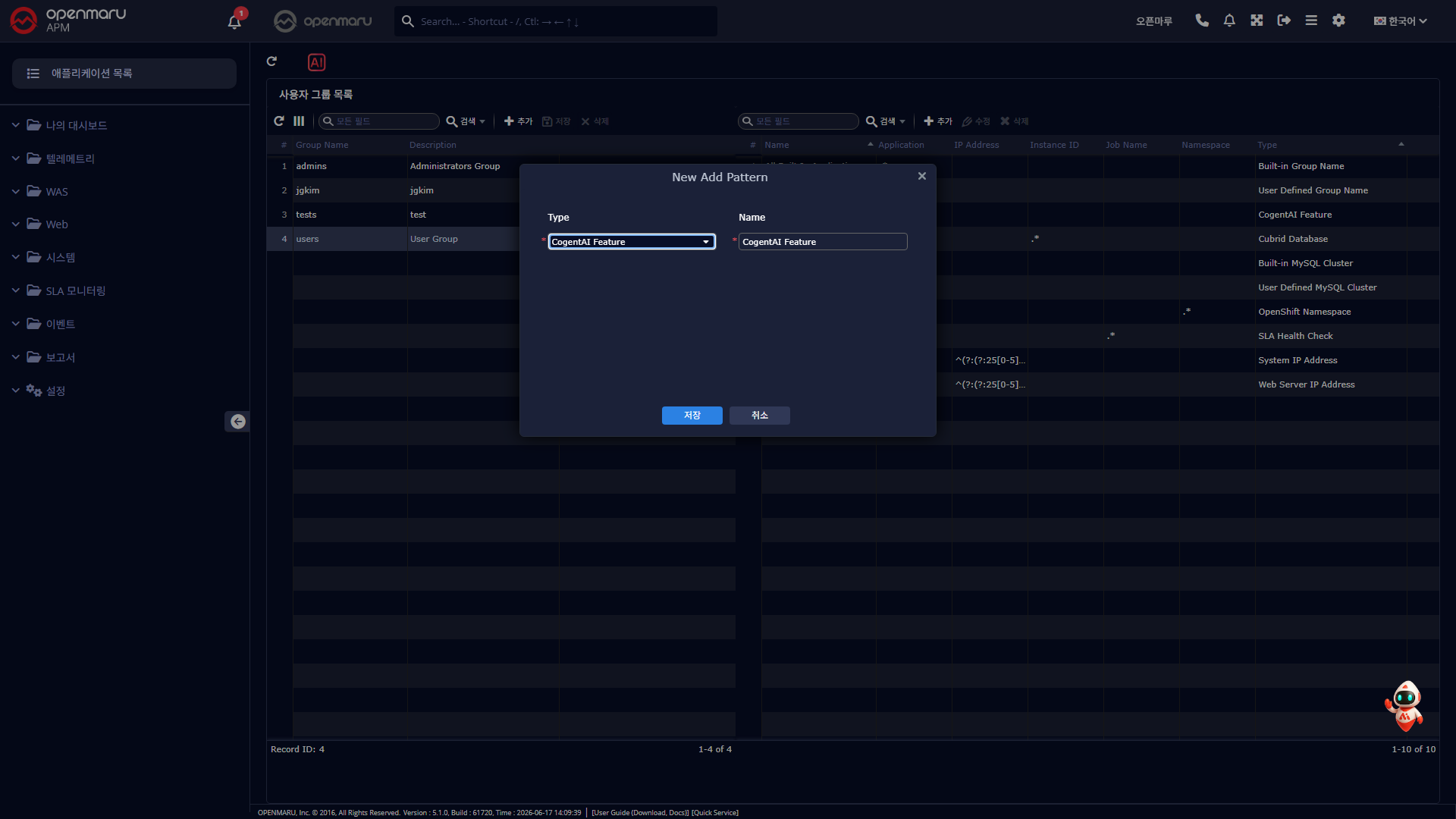
Cogent AI 계정·사용자 그룹별 사용 권한 제어
- 관리자는 항상 사용 가능, 일반 사용자는 권한이 부여된 그룹에 속한 경우에만 사용 가능
- 위치: 설정 → 사용자 그룹 관리 (권한 부여)
Cogent AI 인사이트 가드레일 체크 예외 옵션 추가
- 정책에 걸리는 단어가 포함되어 분석이 막히는 경우, 가드레일(응답 정책) 검사를 건너뛰고 인사이트 요청 가능
- 위치: 상단 전체 인사이트, T-Map 상세, 스레드 덤프
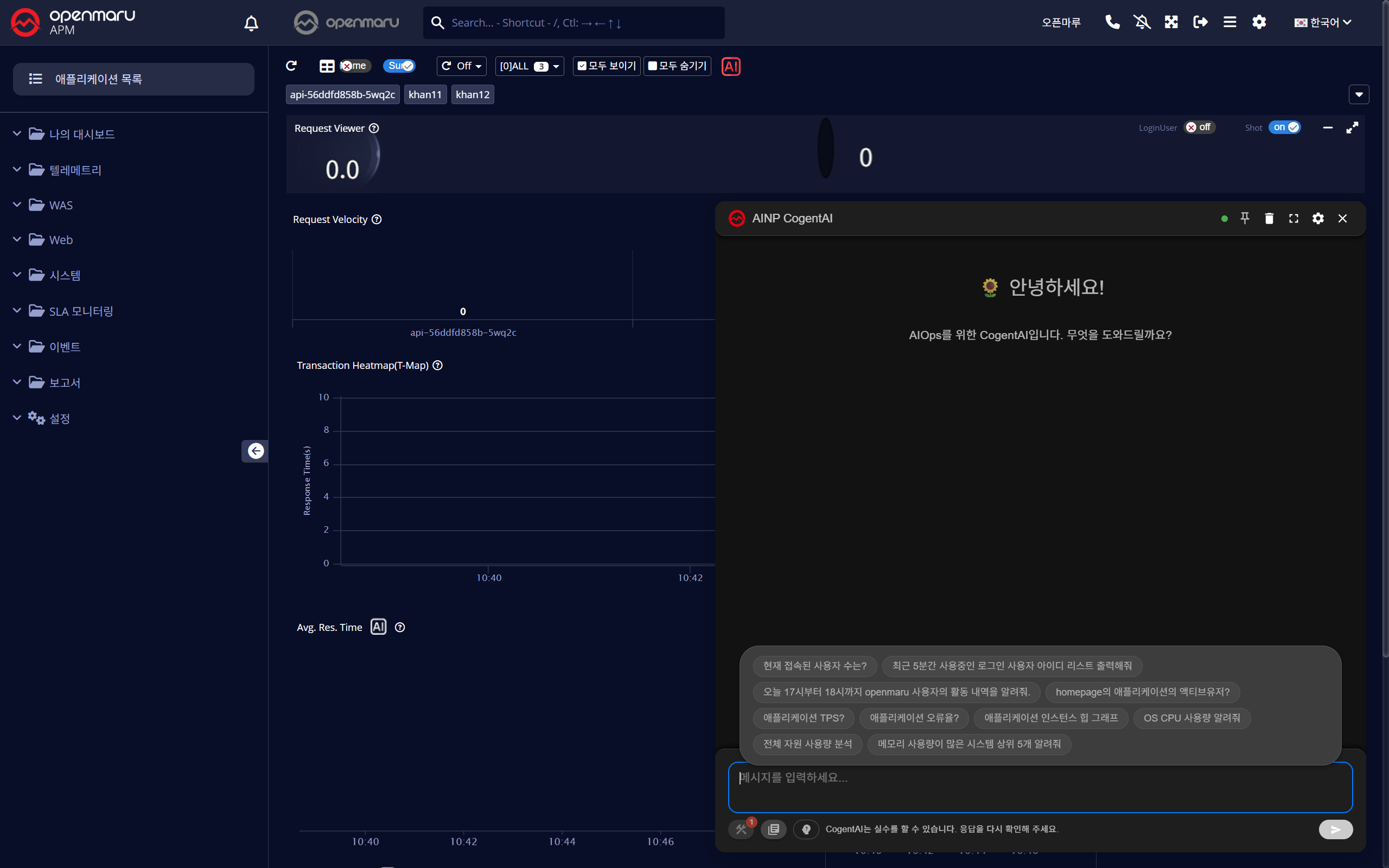
Cogent AI Insight 명령 프롬프트 안내 추가
Cogent AI 시스템 자원 사용량(사이징) 분석 기능 추가
PromQL(Prometheus 시계열 질의 언어) 호환 조회 지원
- Metric Explorer 화면에서 PromQL 문법으로 메트릭 조회·탐색 가능
PromQL Metric Explorer 사용성 개선
- 메트릭 그룹 접기/펼치기, 검색·집계(Aggregation) 조건 Clear 버튼 추가
- 차트 색상 확장, TPS 메트릭 값 정확도 개선
PromQL 메트릭 CPU 사용률(cpu_usage_percent) 필드 추가
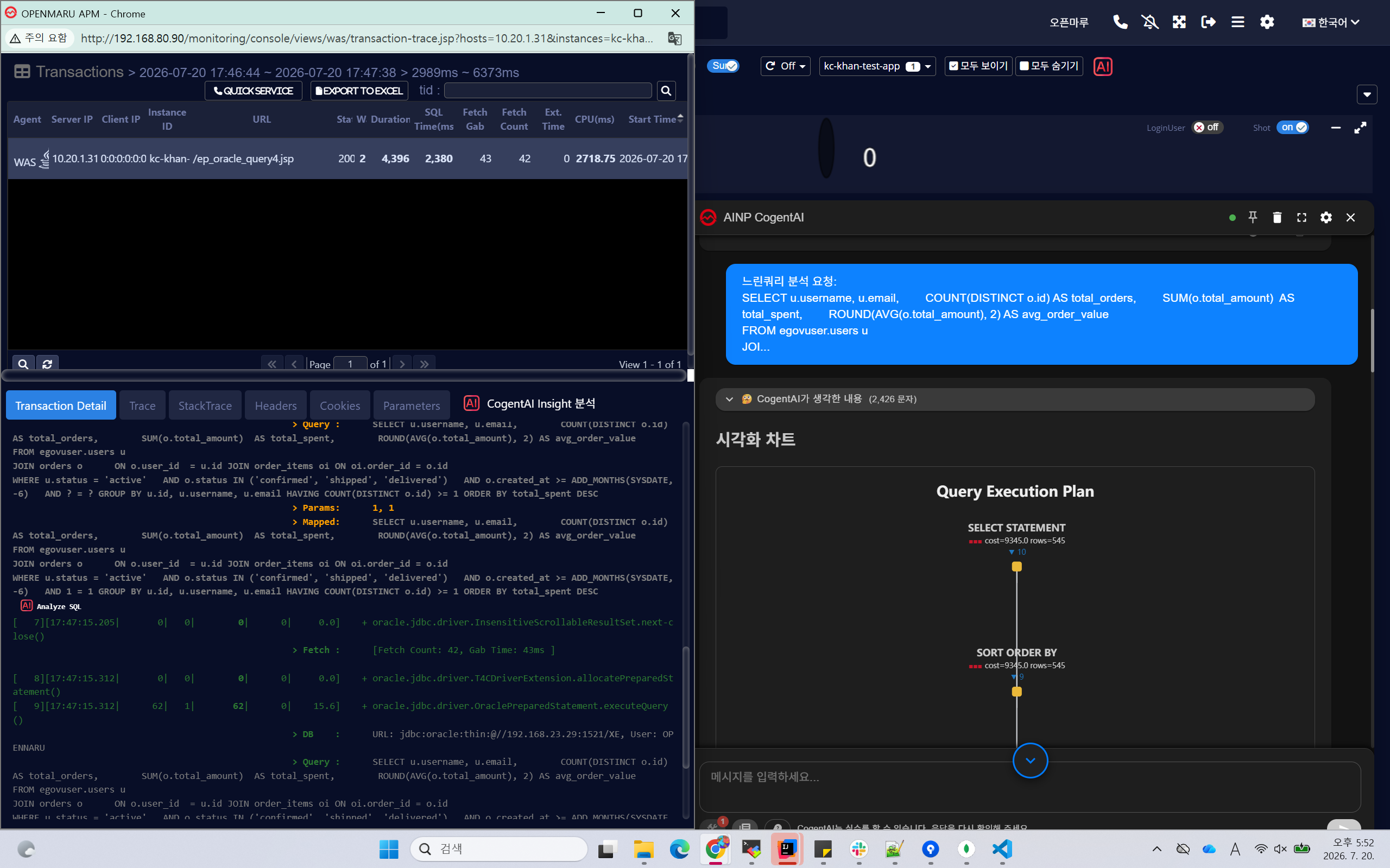
느린 쿼리 AI SQL 분석 기능 추가
- 트랜잭션 상세 SQL 옵션 팝업 / More 영역에 AI SQL 분석 버튼 적용
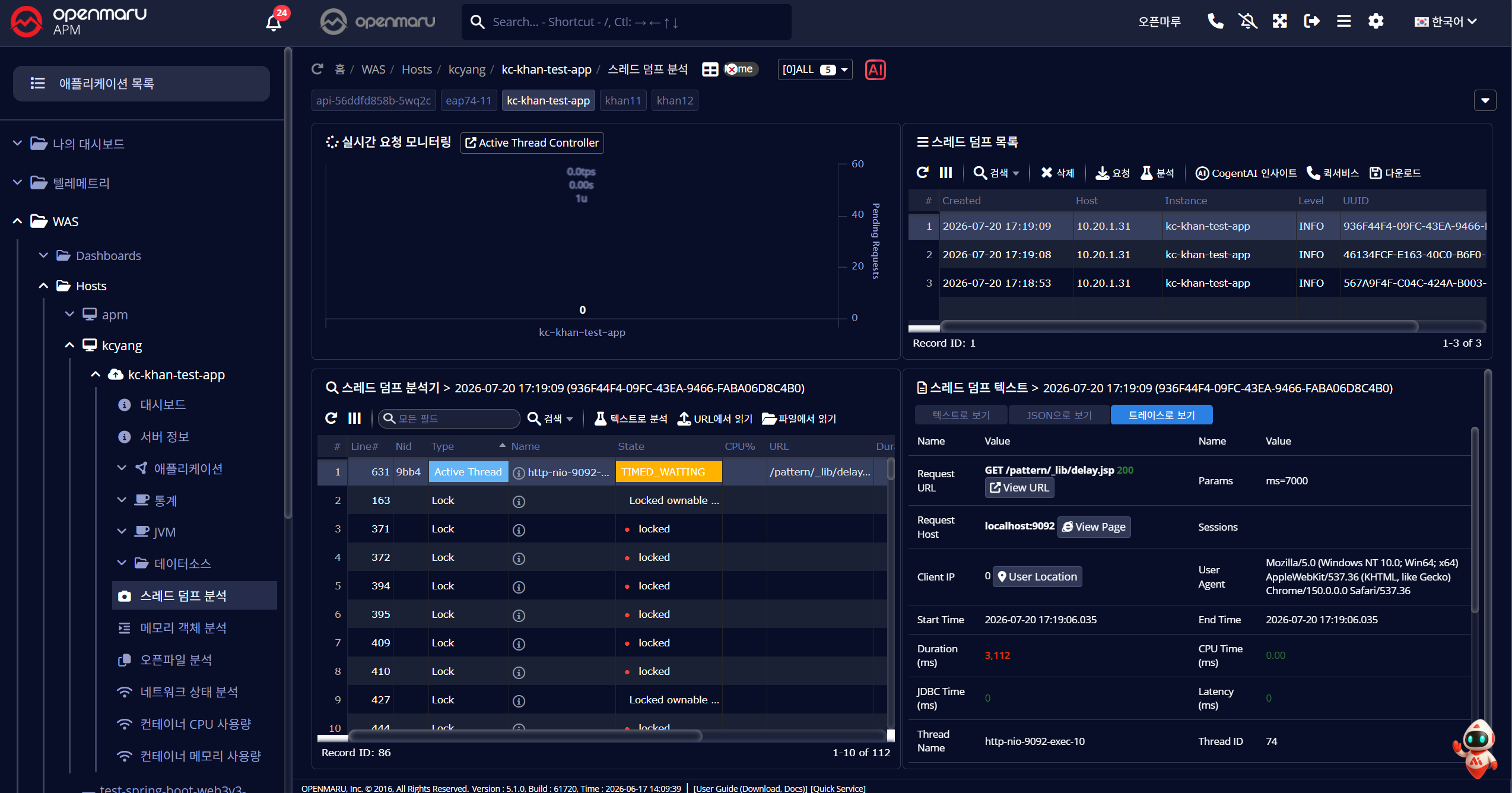
스레드 덤프에 트랜잭션 상세 정보 표시
보고서 트랜잭션 Excel 다운로드 필터 기능 추가
- 로그인 ID 등 조건으로 필터링한 트랜잭션만 CSV 로 다운로드 가능
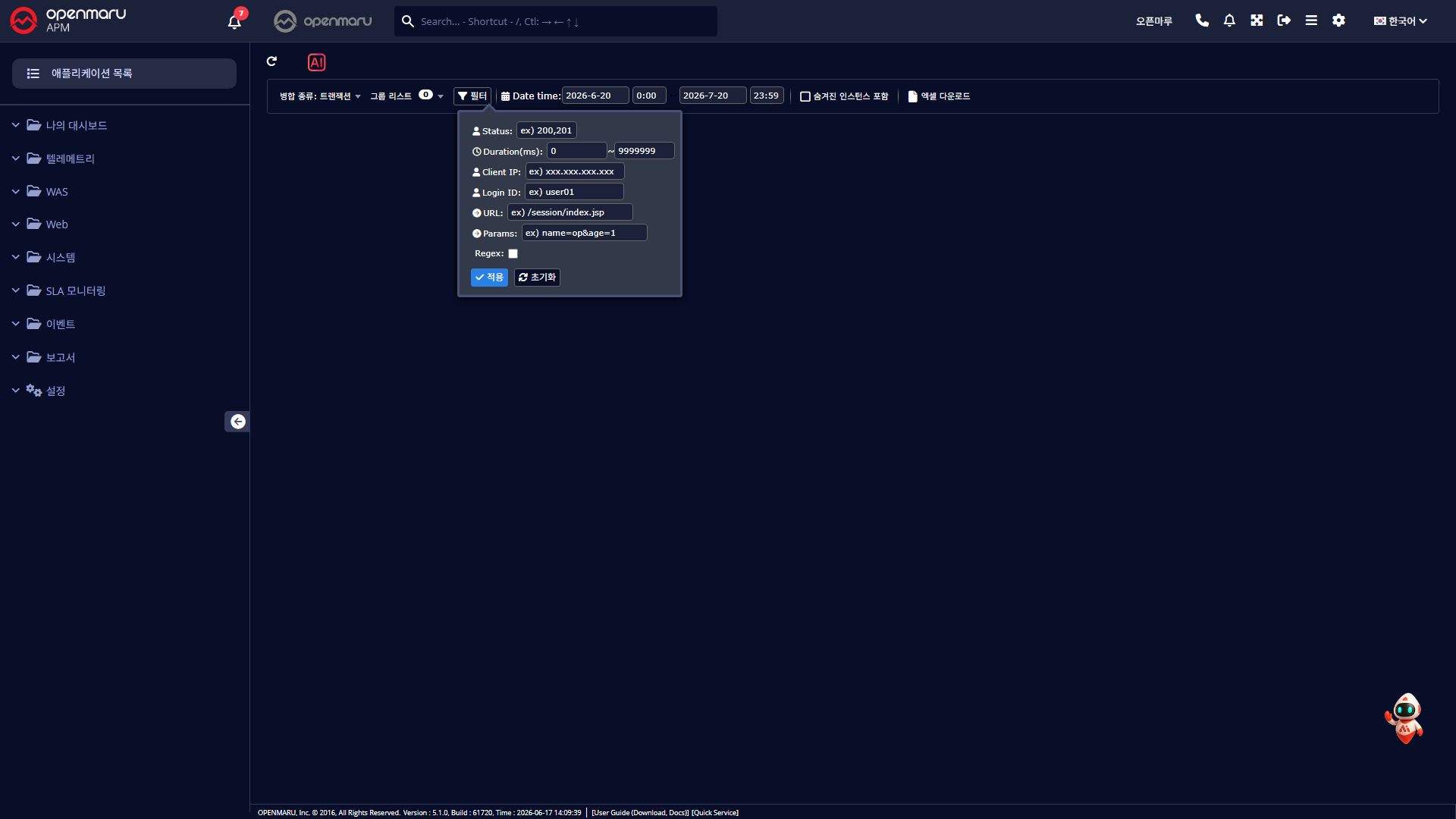
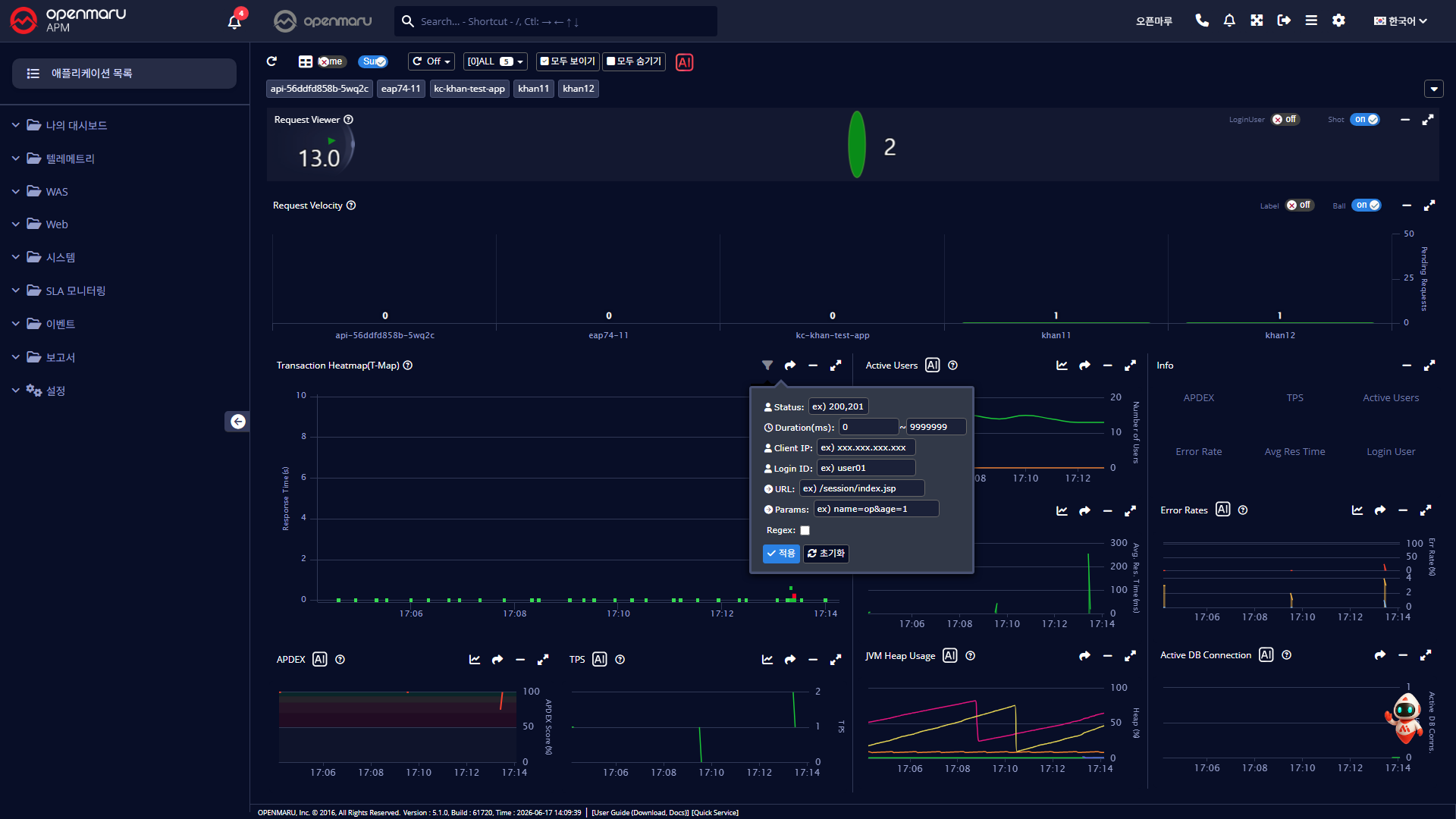
T-Map 필터에 로그인 ID 조건 추가
- Current·History·Range 화면 및 대시보드 T-Map 모두 적용
기타 개선
- Metric Explorer 접근 키(API Access Key) 방식 로그인 지원
- Metric Explorer 조회 시작·종료 시간에 상대 시간 표현(
now-1d, now-1d2h10m) 지원
- Cogent AI Forecast 메트릭 조회 시 조회 기간별 데이터 간격 자동 조절 (12시간 미만 15초 ~ 21일 이상 30분)
- PromQL Metric Explorer 차트 툴팁 표시 및 포인트 정렬 개선
- 트랜잭션 "쿼리 분석" 버튼명을 "AI SQL Analysis"로 변경
- 트랜잭션 상세 로그인 아이디 위치 개선, IP Location 이동 버그 정리
- SMS 발송 사용자 그룹 설정 항목 설명 추가
- 데이터 저장 주기 초과 미삭제 데이터 알림 추가
- Analyzer 중지된 인스턴스 표시, 차트 헤더 폰트·아이콘 크기 개선
버그 수정
- 헤더 도움말(물음표) 아이콘 미동작 버그 수정
- 나의 대시보드 WEB HTTP Status Code 차트 미표시 버그 수정
- T-Map Range·History 차트 필터 선택 시 무한 로딩 버그 수정
- 모바일 화면 대시보드 레이아웃 깨짐 버그 수정
- 라이선스 만료 이벤트 위치 정보 오표시 버그 수정
- 이벤트 즉시 메일·SMS 전송 시 호스트 정보 누락 버그 수정
- 경고 정책 미설정 항목 알림 누락 버그 수정